
Easy-to-use software built specifically for early years and children's clubs, serious about safeguarding.
For one setting or fifty, the principle is the same: simple for the practitioner/educator, clear to the people responsible.
On the Button brings together safeguarding, complaints and whistleblowing, alongside child, family and staff wellbeing. For multi-site organisations, the Group Picture gives authorised senior leaders live oversight across settings and sites, helping them see where attention, action or escalation may be needed.
You cannot be everywhere, but you can have a consistent system everywhere.
Safeguarding and wellbeing, logged in the moment by your whole team, on every site, built specifically around practice in early years and children's clubs.
Is your whole team On the Button?
Is On the Button Right for Your Organisation?
See how your team can record concerns early and never miss the bigger picture. Also find out how On the Button supports your early years safeguarding and wellbeing records.
Read the full transcript
On the Button is specialist early years safeguarding software designed to support wellbeing, complaint management and compliance too. Whether you run a nursery, preschool, after school club, or oversee a group of childcare settings, it gives your team a clear, practical way to keep everything important, safe, organised and visible. It gives practitioners working most closely with the children, the confidence to record what doesn't feel quite right and carries that information right through every level of seniority so concerns are not lost, patterns are easier to spot, and leaders can see exactly what's happening and respond quickly.
On the Button is designed for nurseries, preschools, and many wrap-around childcare teams who want a clear, competent way to record concerns, support staff, and make sure nothing important is missed.
It is built for the whole team, not just leadership, so concerns can be logged as they happen, not remembered later, and over time, those small things can build into a bigger picture.
Most settings are fully up and running quickly. Senior leads have a short setup video, practitioners have one too. And most teams are using it competently within 12 to 15 minutes. It also works well for leadership teams, overseeing more than one setting, helping them track across a group and make sure practice stays consistent without adding complexity.
Just to be upfront, On the Button isn't designed as a large centralised school system. But if you're a stand-alone nursery, a preschool, an afterschool club, or part of a group looking for something focused, practical and fully in your control On the Button was built exactly for that.
Our users tell us it gives them confidence that it saves time, that it helps them sleep better, knowing nothing is being missed.
For practitioners, knowing there's a trusted, structured way to record concerns, especially in sensitive or emotional situations, builds real peace of mind. They feel supported, not second guessing themselves. And for leaders having everything regarded to safeguarding and wellbeing in one place and clearly separated from learning journeys and routine admin makes it easier to see what's happening, respond quickly and stay in control.
Many settings also tell us that having a simple secure system for managing parent complaints and staff concerns has made a real difference, supporting better relationships and reducing pressure when situations are challenging.
Most settings already have safeguarding policies in place, but this is about making sure they're consistently put into practice day to day. It works at just a few pence per place per week, and many settings tell us it quickly becomes something they rely on every day simply because it keeps everything clear, organised and easy to manage.
When your team feels confident, supported and clear about what to do and families feel heard, wellbeing improves across the board. If that sounds like it could meet your needs, we'd love to welcome you.
You can explore our case studies in the blog section, browse the questions, or watch the snapshot to see exactly how On the Button could support your team.
No pressure, no jargon, just a clear, useful journey you can explore at your own pace. And if anything comes up, we're just a WhatsApp message away.
Built for Early Years, Recognised by Experts...
NMT Nursery Awards Finalist 2026 for Technology Product of the Year, Official Small Business UK Awards 2026 Finalist for Best Social Impact AND Best Customer Service Category; TEACH Early Years Awards Highly Commended 2025 for Happy and Healthy Category; The National NMT Nursery Awards Finalist 2025 for Technology Product of the Year; International GESS Education Awards Finalist 2025 for Early Years Product/Supplier of the Year.
On the Button was designed by Catherine Lyon, former Ofsted Inspector and NDNA Quality Assurance Assessor. She has worked in early years for over 50 years, with over 30 years running her own nurseries. Built around the way safeguarding, wellbeing and concerns are actually managed in early years practice.
⭐ On the Button is specifically designed for early years providers and children's clubs ⭐
Strengthen and simplify practice, your monitoring and reporting
Promoting Positive Future Mental Health
Protect and increase your organisation's reputation
On the Button officially launched in April 2025 by Quality Early Years Ltd., after the body map was developed and is actively maintained with continuous development.
Endorsed by early years trainers and consultants...
Endorsed by early years trainers and consultants...

GREG WOLFF SAYS...
"This is an intuitive and easy-to-use piece of software which will make the process of keeping children safe both easier and more robust. The clever design means that children will be far less likely to fall through the net and instead, relevant staff can keep a close eye on concerns and take action proactively when required with all records at their fingertips."
Greg is an ex-Ofsted Inspector and Local Authority Advisor. He founded the Learning Tree Consultancy and runs a nursery of his own. Greg also delivers accredited Safeguarding Training to the early years sector.

SUE ASQUITH SAYS...
"On the Button is a really useful tool, to record any safeguarding or wellbeing concern. Staff can make notifications about children's injuries or non-attendance. Only DSL(s) or people with a supervisor log in have the permission levels to access the notifications and past history which may flag patterns or a cause of concern so you can make these known to children's social care."
Sue is an award-winning international consultant and author. She has worked on several DfE-funded projects and delivered keynote speeches, workshops, and seminars at conferences in the UK and internationally.
What do On the Button reviews from customers say?
Google Review ⭐⭐⭐⭐⭐
"As a DSL in a Pre-School i was looking for a software that would help my staff team keep all our safeguarding in one place. I looked around and found on the button. Not only was it very reasonable on the pricing but also very easy to use. it is safe and secure and has been a real asset for us as a setting There is also help and support on hand when needed via, email, message and text. I would totally recommend this to any setting wanting to enhance their safeguarding practice."
Diana - DSL, Pre-school
Google Review ⭐⭐⭐⭐⭐
"Very easy to access and very good for using a multiagency approach as quick and easy to access for all staff who need to know."
Rebecca Marriott - Level 6 - Practitioner
Google Review ⭐⭐⭐⭐⭐
"On the button makes it easier to record concerns and keep a chronological account, where more efficient and accurate accounts are able to be monitored instantly. Instead of dealing with extensive paperwork that consumes a significant amount of time. Personally I have also found on the button to help me record with more confidence due to being dyslexic and it being an online app helps me spell check my entry. On the button also incorporates user feedback, continuously striving to enhance the application and better serve the needs of professional users."
Rebecca Mackenzie - Level 6, Room Leader
Google Review ⭐⭐⭐⭐⭐
"The level of customer service from the OTB team really stands out. Offering video calls, WhatsApp support, and even user meetups sets a refreshing standard that other businesses could learn from. It’s clear they put a lot of effort into making sure people get the most out of the software"
Mateusz Chlebiej - IT Specialist
Google Review ⭐⭐⭐⭐⭐
"Absolutely amazing… so much easier to record information and much faster. Gets to the safe guarding officer in no time without us walking around building to find her etc and better than writing it all up on paper. Definitely recommend."
Jess Stanford - Level 3 Key Person
How On the Button supports safeguarding and wellbeing.
On the Button supports safeguarding in early years settings by providing leaders with a single, secure place to log concerns, track actions, and oversee what happens next. Built by early years, for early years, from more than 50 years of practice and four Ofsted Outstanding settings (under the previous inspection framework), it strengthens EYFS safeguarding and early years safeguarding across the whole team, supporting inspection-ready EYFS practice.
It is expertly designed to also promote EYFS wellbeing, early years wellbeing, complaint management and compliance, simplifying complaint management from acknowledgement to outcome with linked evidence. It helps settings and groups stay organised and confident that nothing is lost in paperwork or buried in admin systems.
The technology is only part of the picture. On the Button supports what needs to happen around safeguarding: noticing concerns, recording them clearly, alerting the right people, following actions through, seeing patterns and helping leaders know what is happening across the setting or group.
In early years, concerns do not always begin as a clear safeguarding incident. They can start with a change in behaviour, something a parent says, an unexplained absence, an injury, or something an educator notices. On the Button helps make sure those small pieces of information are recorded, seen by the right people and brought together when a wider picture begins to emerge.
IMPLEMENTATION & ONGOING SUPPORT
Short help videos (5-12 minutes)
Start quickly; refresh key tasks for seniors and educators.
You’ll find it simple to use once you’ve learned the basics; your onboarding will be quick and will build everyone’s confidence.
WhatsApp support (24/7) + optional live support
Resolve questions fast with a named human.
You’ll get answers quickly, so your team keeps moving without blockers.
User Get-Togethers plus open roadmap
Share challenges and ideas, guiding improvements.
We make the software practical for real situations. You can share challenges, shape improvements, and connect with other users.
LOGGING SAFEGUARDING CONCERNS AND KEY INFORMATION,
giving staff confidence to record and raise concerns promptly
On-the-go logging
Children’s low-level observations and safeguarding concerns
Practitioners no longer need to hesitate about logging. You’ll capture more and forget less; small signals can build into a clear safeguarding picture.
Whole-team access (incl. students & volunteers)
Everyone can record.
Your whole team can record their observations, so nothing slips through the net.
Wellbeing notes
Child, family and staff wellbeing entries alongside safeguarding.
Complaint management
Log and track parent complaints.
Educators log and you track complaints, link them with safeguarding, and use entries for quality-assurance improvements.
3D body mapping
Accurate injury recording.
Your team can record injuries precisely, creating evidence that stands up under scrutiny.
WHISTLEBLOWING
Whistleblowing entries
Raise concerns about staff, policy or practice, including anonymously.
Your team can raise concerns early and discreetly, keeping children’s welfare at the centre of practice so issues surface before they escalate.
RESPONDING TO LOGS
Alerts (SMS & email)
Immediate DSL/senior notifications for safeguarding; daily review for wellbeing; directing staff to look at the Communications section on the software.
You’ll get immediate DSL/senior alerts for safeguarding and a daily review for wellbeing. Alerts enable action whether senior staff are on site or not. There’s no SMS limit and SMS is included.
Highlighted communications
See what must be read and responded to.
Urgent logs are clearly seen, alongside recent log counts, at a glance. Past logs and actions are visible so you act in context.
Need-to-know access
Role-based permissions for all entries.
You’ll keep sensitive information restricted to the right people.
Group Picture for multi-site organisations
Authorised group leaders can see across settings and sites where attention, action or escalation may be needed, without needing unrestricted access to every individual safeguarding record.
REPORTING
Chronologies & trends
Full timeline of concerns, actions and outcomes; trend view.
You’ll produce evidence in minutes and spot patterns sooner. Reports are ready for external agencies such as Social Care and the LADO, and are Ofsted-ready if you choose to share.
Instant reports – no need to edit
Share comprehensive information with external professionals.
You’ll share only what’s needed by exporting the relevant cases or date range. The wording is fixed and read-only, which strengthens your audit trail.
Complaints management
Complaint logs and outcomes for committees, governors, inspectors etc.
You’ll present a clear complaint history when required. Entries can link with safeguarding and support quality-assurance audits.
STAFF INFORMATION
Safer recruitment log
Keep key safer recruitment information together and see where required information is incomplete.
Training matrix with renewal alerts
Track mandatory and refreshers; include your own courses.
You’ll track mandatory training and refreshers (including your own courses). Reminders are sent well before expiry dates, so your setting or group remains compliant.
SECURITY & ASSURANCE
Security Stack
Encryption, multi-factor authentication, role-based permissions and many security features; GDPR-compliant.
On the Button is reviewed regularly to maintain security and compliance to give you reassurance.
Data Control
Time-stamped entries and read-only exports when required.
Your reports will show who did what, when, and why.
ACCREDITATION, CREDIBILITY & TRUST
On the Button Accreditation for settings to achieve
Accredited settings demonstrate that safeguarding and wellbeing practice is embedded across the whole team, and receive accreditation logos to share with families and the wider community.
Growth and reach
On the Button has grown steadily since the official launch, supporting more settings, nursery groups, more regions and many more child places as awareness continues to build.
Awards and endorsement
Recognised by sector awards, relevant business awards and respected early years experts, On the Button is gaining attention for both its purpose and its practical value.
What users say
Read Reviews HERE.
You’ll hear the same themes: ‘keeps safeguarding in one place’, ‘staff log more’, ‘saves time’.
More than software: see the community, support and added value around On the Button.
PRICING & COMMITMENT
Transparent pricing
Per registered place, with monthly or annual options.
You’ll budget predictably per registered place, with updates and support included.
Multi-setting organisations (settings ordered together) may qualify for an implementation credit on the one-off set-up fee.
90-day money-back guarantee + one-month notice
Try with confidence; low commitment after the first 90 days.
You’ll try it with confidence and keep commitment low.
Safeguarding children is a whole team responsibility
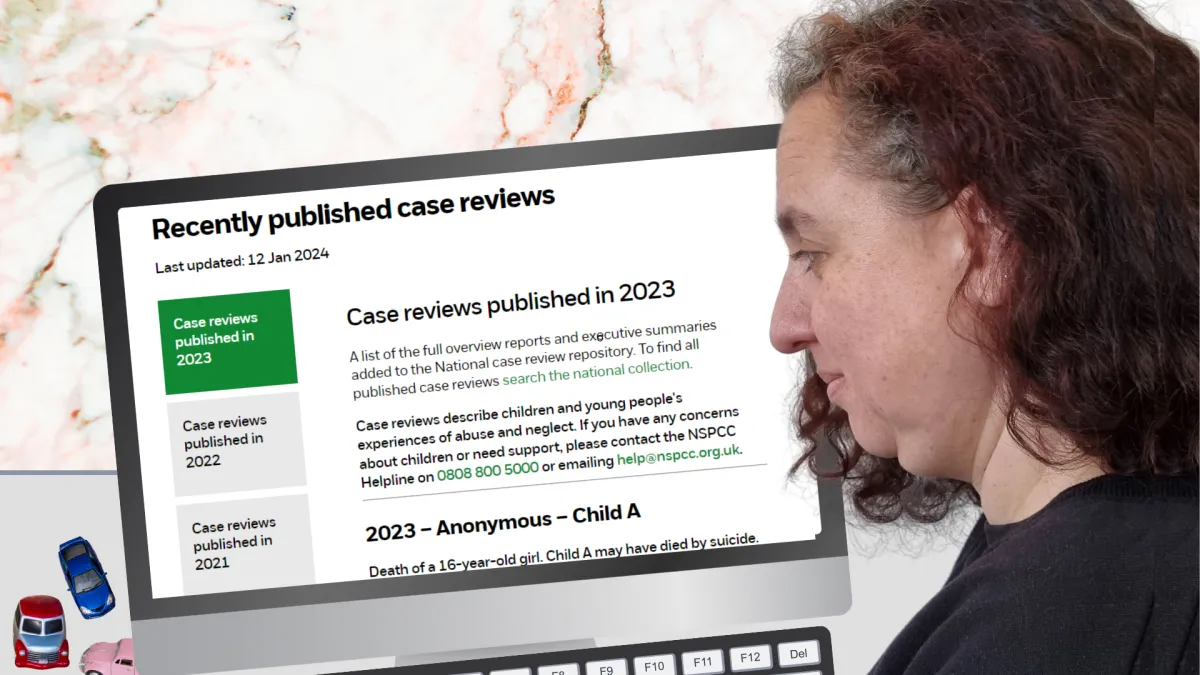
Ofsted’s safeguarding factors are on page 3 and its Children’s welfare and wellbeing factors are on page 39 of the Early years inspection toolkit, version 2.0, for inspections from 1 September 2026. The full wording remains available in the official toolkit.
How On the Button supports the safeguarding factors Ofsted considers
| Ofsted's safeguarding focus, summarised | How On the Button supports practice |
|---|---|
| 1. An open, positive safeguarding culture and a whole-setting approach | Whole-team access means room staff, bank staff, students and volunteers can log a concern as it arises. Role-based permissions ensure that only the appropriate senior people can view and respond to sensitive information. |
| 2. Protecting children from maltreatment and harm, including harm outside the home and online | Staff can record safeguarding concerns, lower-level well-being observations, injuries, non-attendance and relevant complaints in one secure system. Safeguarding entries send immediate SMS and email alerts to designated seniors, while the 3D body map supports precise injury recording. |
| 3. Open and appropriate information sharing, expert advice, scrutiny and constructive challenge | Time-stamped entries keep the original concern together with senior responses, actions and outcomes. Chronologies and read-only reports can be produced for Social Care, the LADO and other professionals, helping the setting show what was known, what was done and when. |
| 4. Vigilance and an understanding that safeguarding concerns could arise in any setting | A system that supports policy where all staff can record what does not feel quite right without waiting for certainty. Small observations remain part of the history, helping leaders recognise repeated concerns or an emerging pattern. |
| 5. Well-trained staff who understand the setting's systems and feel able to speak out and act | Clear educator and senior processes support consistent recording. The training matrix records required courses and renewal dates, and reminders help leaders act before training expires. Induction stages and checks can also be followed through in the safer recruitment trail. |
| 6. Recognising that missing early years education may indicate a safeguarding concern | Non-attendance concerns, reasons, contact attempts and outcomes can be recorded in the child's chronology but clearly shown as such. Leaders can review the attendance history alongside other safeguarding and well-being information. |
| 7. Listening to children, practitioners and parents, and responding promptly to concerns | Factual observations and conversations with children, parents and staff can be recorded, alongside complaints where relevant. Seniors can add their response, action taken and outcome, keeping the follow-up visible. |
| 8. Identifying children who may need early help, may be at risk of harm or may already have been harmed | Immediate alerts bring safeguarding concerns to senior attention. Advice sought, decisions, referrals, follow-up and agency responses can be recorded in one chronology. On the Button supports the evidence trail; the setting remains responsible for thresholds and referrals. |
| 9. Securing suitable help and referring concerns promptly to the right professionals | The instant report and chronology bring together concerns, actions, contact with agencies, further information and outcomes. This helps leaders share relevant information quickly and retain a clear audit trail. |
| 10. Managing safer recruitment and concerns or allegations involving adults | The safer recruitment trail keeps DBS information, references, key checks and induction stages together. Concerns about adults can be raised through safeguarding or whistleblowing routes and restricted to those who need to know. |
| 11. Responding to additional vulnerabilities, including SEND and children who are non-verbal | Entries can capture the child's communication needs, relevant context, observations and specialist advice, helping leaders understand the concern in relation to that child rather than as an isolated event. |
| 12. Keeping safeguarding policies, systems and processes under continual review | Recent counts, six-week trends, histories, recorded actions and outcomes help leaders review whether concerns are being recognised and followed through. Time-stamped records provide evidence for internal review and inspection. |
| 13. A culture in which concerns can be communicated and staff understand whistleblowing procedures | On the Button is readily available to raise whistleblowing concerns discreetly or anonymously. Need-to-know routing keeps the information with the appropriate senior person, and actions and outcomes can be recorded. |
| On the Button supports the recording, communication, monitoring and evidence of safeguarding practice. It does not replace safeguarding training, professional judgement, setting policies, statutory procedures or referrals. | |
Children’s welfare and wellbeing
Ofsted considers how the setting promotes children’s welfare and wellbeing and ensures that children receive the care and support they need to achieve and thrive. The five factors below are summarised from page 39 of the September 2026 toolkit.
| Ofsted's welfare and well-being focus, summarised | How On the Button can support leaders |
|---|---|
| 1. Warm, positive and trusting relationships that support secure attachments | Well-being entries give practitioners a place to record changes, observations or concerns about a child and the family relationships around them. Seniors receive a daily digest and can record what happened next. |
| 2. Helping children remain physically healthy, active and supported to eat well | Concerns relating to a child's health, eating, energy, behaviour or participation can be recorded and reviewed alongside the wider history. |
| 3. An inclusive environment with high expectations for every child's welfare and well-being | Records can show how individual needs or barriers affected a child's well-being and what action was taken. Educators can also flag their observations and concerns. This helps leaders see whether support is timely and consistent. |
| 4. Nurturing, developmentally appropriate care, including safe sleeping, weaning and safer eating | Practitioners can record concerns, incidents or departures from expected practice so that leaders can respond and follow through. |
| 5. Equality of opportunity, belonging and respect for individual characteristics | Concerns about exclusion, discriminatory behaviour, family circumstances or a child's sense of belonging can be recorded factually and followed through. |
| On the Button gives practitioners a clear place to record safeguarding and well-being concerns as they arise, and gives leaders the information they need to respond, follow through and see the wider picture. It supports consistent practice across the whole team while keeping sensitive information restricted to those who need to know. | |
On the Button is Brought to you by...
On the Button is Brought to you by...
Our company has been making evolving early years software for 35 years, which began in our award-winning, Outstanding settings (as graded with the inspection framework at the time).
We recognise that wellbeing has been brought to the forefront of everyone's minds, and in talking with our clients, safeguarding remains a sticking point.
Sadly, safeguarding weaknesses continue to be identified in early years settings. We all hear the horrendous stories, many of which could have been prevented. On the Button is dedicated to safeguarding and wellbeing, not an admin system with safeguarding bolted on. It is the first specialist system of its kind, built from early years practice, for the sector, by the sector. Read the On the Button story here.
These providers are On the Button!




Main Menu


Find out who will support you and listen to your ideas about On the Button, with the aim that safeguarding is paramount in nurseries and preschools, with well-being, complaint management and compliance supported clearly alongside it.
Extra Info
On the Button, Quality Early Years Ltd. 10761378 (Est. 9th May 2017) Dickens House, Guithavon Street, Witham, Essex, England, CM8 1BJ
WhatsApp 07424 868955 Phone 01917 436785 © Quality Early Years Ltd 2026


